Build AI Workflows Without Coding: A 2026 Guide for Indian Businesses

I previously assumed that sophisticated automation required a technical team and significant capital. That perspective shifted when I built my first functional AI workflow from a coffee shop in Bangalore, with no programming knowledge. The process was not flawless, but it was effective.
As a freelancer based in Chennai working with small businesses across India, I can confirm that AI workflow automation without coding is accessible today. With an afternoon's effort and minimal or zero cost, you can reclaim several hours weekly. However, the journey includes pitfalls and frustrating moments that I've experienced firsthand.
This guide provides an honest assessment of what works, what fails, the actual financial investment required (in rupees), and whether this approach is worthwhile for Indian freelancers and small business owners.
Is Automation Without Coding Realistic?
The short answer is yes, but it requires planning and testing. "No-code" does not mean "no effort"—it means you can build logic without writing Python or JavaScript.
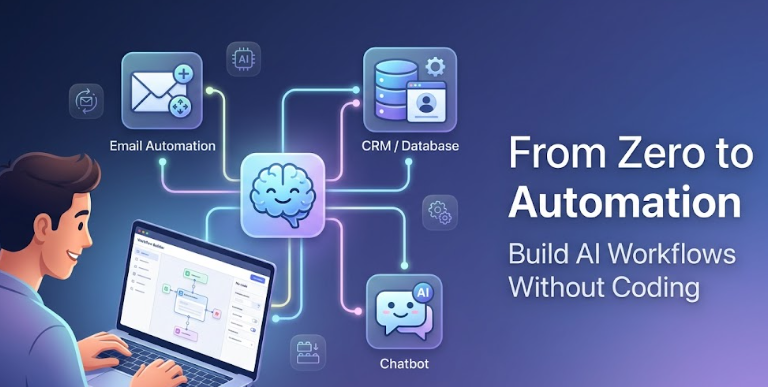
Definition: AI workflow automation involves connecting applications through visual, drag-and-drop interfaces and integrating an AI layer (such as ChatGPT) to make decisions, generate text, or analyze information. Instead of manually transferring data from a form to an email, the system handles it and personalizes the response based on the input.
For a small business owner in Mumbai or a freelancer in Pune, this enables:
- Automated responses to leads during late hours.
- Proposal drafts generated without staring at a blank page.
- Customer feedback sorted without manually reviewing hundreds of emails.
If you have minimal tolerance for configuration, hiring a virtual assistant may be more suitable. But if you're willing to invest a few hours learning, the return is substantial. Once you master basic workflows, you can explore more advanced setups like those covered in my guide to hidden AI tools for business automation.
Common Implementation Mistakes to Avoid
I've made costly errors that offer instructive lessons.
Case: Over-Automated Client Onboarding
I attempted to fully automate onboarding: Calendly booking → AI welcome email → Trello card creation → AI contract draft. Using Zapier and ChatGPT, the logic seemed sound.
In practice, the AI generated a contract with an incorrect client name (pulled from an old spreadsheet entry), created duplicate Trello cards, and sent a welcome email containing a broken link. One client responded, "Is this a joke?" and subsequently disengaged.
Lesson: Do not automate the entire process at once. Maintain a human approval step for any communication directed at paying customers. I now use Relay.app or a simple approval step within Zapier to ensure AI drafts are reviewed before sending.
Additional Mistake: Tool Overload
I signed up for Zapier, Make, n8n, and two other AI platforms simultaneously. The result was confusion, unnecessary subscription fees, and eventual abandonment. Begin with a single automation hub—Zapier is forgiving for beginners, even if it's not the least expensive option.
Tools I Evaluated and Discontinued
Not every platform justifies its learning curve or cost.
- n8n – Highly capable, but self-hosting introduces complexity. The cloud version is more user-friendly but still technically demanding. If you're uncomfortable with JSON or API structures, consider alternatives.
- Microsoft Power Automate – Effective if your workflow is centered on Excel and Outlook. For freelancers using Google Workspace and Notion, the integration feels cumbersome.
- Bardeen.ai – The concept of browser-based automation is appealing, but frequent breakage after Chrome updates makes it unreliable for critical business functions.
For the initial six months, Zapier or Make provides the most reliable foundation with extensive tutorials and community support.
How AI Workflow Automation Functions
In simple terms: you define a rule: "When X occurs, perform Y using AI."
Example Workflow:
- Trigger: A prospect submits a "Contact Us" form on your website.
- AI Step: ChatGPT reads the inquiry and drafts an appropriate, friendly reply.
- Action: Gmail sends the reply automatically.
The AI can also incorporate decision logic—for instance, routing messages containing "refund" to a support queue while handling others routinely.
For a small business in India, this provides 24/7 responsiveness without requiring constant availability.
Why No-Code AI Automation Is Expanding in India
Three primary factors drive this growth:
- Cost Efficiency. Hiring a developer in India typically costs ₹30,000–₹1,00,000+ monthly. A Zapier plus ChatGPT subscription ranges from ₹2,000–₹5,000. The economic advantage is clear.
- Speed of Deployment. My first working workflow took 45 minutes to build. A developer would require days.
- Language Flexibility. AI models now handle Hinglish, Tamil, and Marathi prompts with reasonable accuracy. I've tested mixed-language inputs with success.
In 2026, operating without no-code AI is analogous to ignoring UPI in 2020—possible, but unnecessarily difficult. This dynamic is part of a broader trend I've analyzed in my article on how small businesses use AI to compete with larger companies.
Essential Tools for Beginners (Core Stack)
Avoid purchasing numerous tools initially. Start with this foundation:
- 🧠 AI Brain: ChatGPT (free tier sufficient for testing; paid plan $20/month ≈ ₹1,700)
- 🔌 Automation Hub: Zapier (free for 100 tasks/month) or Make (free for 1,000 operations/month)
- 📁 Data Storage: Google Sheets (free) or Airtable (free tier)
- 💬 Trigger/Interface: Google Forms (free), Tally (free), or Typeform (free limited tier)
Total initial cost: ₹0. You can build and test initial workflows without any financial commitment.
When you need higher volume, Zapier's paid plans start at $20/month (₹1,700) and Make at $9/month (₹760)—still less than a family meal order from Zomato.
Step-by-Step: Building Your First AI Workflow
Let's construct a practical automation: auto-reply to Google Form submissions with a personalized email, using Zapier, ChatGPT, and Gmail.
Step 1: Identify a Repetitive Task
For me, this was responding to "tell me your prices" inquiries. I received 10–15 daily, consuming approximately 30 minutes.
Step 2: Set Up the Trigger
Create a Google Form with fields: Name, Email, Question. Each submission will initiate the automation.
Step 3: Connect Zapier
Sign up for a free Zapier account. Select "Create Zap." Choose Google Forms as the trigger, specifically "New Form Response." Connect your form.
Step 4: Integrate ChatGPT
Add an action step. Search for "ChatGPT" and select "Generate Text with Prompt." Use a prompt such as:
You are a helpful assistant for a small business in India. Write a short, warm email to {Name} who asked: {Question}. Answer politely, mention that prices start at ₹5,000, and invite them to book a free 15-min call. Keep it under 100 words. Zapier automatically populates {Name} and {Question} with form data.
Step 5: Send the Email
Add another action: Gmail → Send Email. Use the ChatGPT output as the email body. Set the recipient to the email address from the form submission.
Step 6: Test and Refine
Submit a test form entry. Zapier executes the workflow. Review the generated email for tone and accuracy. I adjusted my prompt twice—initially it was too formal ("Dear Sir/Madam"), which sounded unnatural.
Turn the Zap ON once satisfied. You have now built a functional AI workflow without writing code.
Workflows That Demonstrated Real Value
Here are three automations I've implemented for my freelance practice in Chennai:
🔹 Lead Capture to WhatsApp Notification
Workflow: New lead completes a Typeform → ChatGPT scores lead quality (high/medium/low) → If "high," a WhatsApp message is sent via Twilio to my phone. I call within five minutes.
Tools: Typeform, Zapier, ChatGPT, Twilio.
🔹 Client Feedback to Trello Task
Workflow: Client emails feedback → Gmail trigger in Zapier → ChatGPT summarizes feedback in one sentence → Creates a Trello card in the "Feedback" list. Eliminates reading lengthy email threads.
🔹 Invoice Overdue Reminder
Workflow: Google Sheets tracks invoices due in two days → ChatGPT drafts a polite reminder → Gmail sends it. Payment delays decreased by approximately 40%.
Each workflow required under one hour to configure. For scaling content creation similarly, consider programmatic SEO techniques that leverage automation.
Actual Cost Analysis in Indian Rupees
Let's examine concrete numbers without ambiguous "starting at" phrasing.
- Free tier (suitable for testing): ₹0. Zapier free (100 tasks/month), ChatGPT free, Google Forms free. Adequate for solo freelancers.
- Light user (solo freelancer, 500–1,000 tasks/month): Zapier Starter at $20 (₹1,700) + ChatGPT Plus at $20 (₹1,700) = ₹3,400/month + GST (18%) ≈ ₹4,000. Comparable to a family mobile plan.
- Small business (agency, e‑commerce): Make Pro at $16 (₹1,350) + ChatGPT API pay-as-you-go (₹500–₹1,000) = approximately ₹2,500/month.
My first-year expenditure on automation tools was under ₹5,000—less than one client project's value. The time recovered: roughly 5–7 hours weekly. Even at a conservative rate of ₹500/hour, that translates to over ₹10,000 in monthly value.
Is AI Automation Worthwhile in the Indian Context?
The answer depends on your situation.
Yes, if: You are a freelancer, consultant, agency owner, e‑commerce seller, or SaaS founder with repetitive tasks that don't require specialized expertise. You are comfortable investing a few hours in learning.
No, if: You have minimal tolerance for technology configuration. You operate a small brick‑and‑mortar shop with low daily transaction volume. You prefer hiring a human assistant for ₹10,000/month over learning Zapier. Either path is valid—automation isn't mandatory for everyone.
For most Indian small business owners reading this, I recommend testing one straightforward workflow (such as auto‑reply to leads). If it recovers two hours weekly, retain it. If not, discontinue without penalty.
Note on reliability: Cloud‑based tools (Zapier, Make) operate on external servers, not your local machine, minimizing disruption from power outages or connectivity issues common in some Indian regions.
Observed Benefits of AI Workflow Automation
- Reduced Context Switching: I no longer jump between email, spreadsheets, and CRM interfaces. The workflow manages transitions.
- Accelerated Response Times: Leads receive answers within two minutes rather than two hours. Conversion rates improved—not solely due to speed, but because AI drafts more coherent responses than I produce when fatigued.
- Fewer Omitted Follow‑Ups: Automated task creation ensures nothing falls through the cracks. Clients perceive greater attentiveness.
An unexpected advantage: improved sleep quality. Knowing routine tasks are handled during off‑hours provides mental relief. The dynamic between automation and human creativity is something I've explored in my piece on AI vs human creativity—automation manages the repetitive; humans contribute the strategic.
Common Beginner Errors and Prevention Strategies
- Deploying Without Testing: Always test with fabricated data first. I learned this through costly experience.
- Overcomplication: A 20‑step workflow will inevitably fail. Begin with three steps, then expand incrementally.
- Lack of Error Handling: Configure notifications for failed tasks. Zapier can email you if a step fails.
- Ignoring Data Privacy: Do not transmit sensitive information (phone numbers, Aadhaar, payment details) to ChatGPT. Anonymize data or use generic placeholders.
Recommended Tool Stack for Indian Beginners (2026)
If I were starting fresh today, I'd assemble this stack:
- Automation Hub: Make (more cost‑effective than Zapier, visual interface, generous free tier)
- AI Brain: ChatGPT API via Make (pay‑per‑use, ~₹0.002 per email generation)
- Data Storage: Google Sheets (free, universally understood)
- Forms: Tally (free, developed by an Indian company, excellent functionality)
- Communication: Gmail + WhatsApp Business (for notifications)
Total monthly cost after exhausting free tiers: ₹500–₹1,000 for most freelancers. This is the approximate price of two daily chai‑samosas. For additional tool recommendations, refer to my guide on hidden AI tools for business automation.
The Future of No-Code AI Automation (2026 and Beyond)
While I avoid speculative forecasting, several trends are evident:
- Autonomous Agents: Future systems will build workflows based on verbal instructions (e.g., "set up a lead nurturing system"). Manual block‑dragging may become obsolete.
- India‑Specific Integrations: Expect improved native support for WhatsApp Business API, Razorpay, OTP logins, and local payment gateways within platforms like Make.
- Voice Workflows: Beta functionality already exists for commands like "when I receive an email from X, send a WhatsApp message to Y."
The barrier to entry continues to lower. Those who begin now will position themselves ahead of the majority of small business owners.
Conclusion
Complete automation of every task is neither necessary nor advisable. However, if a single daily task consistently generates frustration, that is the ideal candidate for automation. For me, it was lead follow‑up. For you, it may be invoicing, social scheduling, or customer support.
AI workflow automation without coding is not a magical solution. It resembles learning to ride a bicycle—initial practice is required, but once mastered, progress accelerates significantly.
Experiment with one workflow this week. Utilize the free tiers. Expect to encounter and resolve issues—that is part of the learning process. I began exactly this way and now consider automation indispensable.
If you want to reduce operational friction and focus on high‑value work, start building practical automation skills today. The time you invest in learning these tools will return compound benefits in the months ahead.
— T Charles Philip, Chennai
Frequently Asked Questions
1. Is coding knowledge required to build AI workflows?
No. All tools discussed rely on drag‑and‑drop interfaces. If you can use Google Forms and Gmail, you can construct these workflows. The closest approximation to code is writing prompts for ChatGPT, which is plain English.
2. What is the actual cost in Indian rupees to run these automations?
Starting from ₹0 (free tiers). For a freelancer processing 500–1,000 tasks monthly, expect ₹2,000–₹4,000 including GST. For a small business with higher volume, ₹5,000–₹10,000. Compare this to hiring a part‑time virtual assistant for ₹15,000—automation is often more economical.
3. Can these tools integrate with Indian applications like Razorpay, Zoho, or WhatsApp?
Yes. Zapier and Make integrate with Zoho CRM, Zoho Books, Razorpay (via webhooks), and WhatsApp Business (via Twilio or WATI). Some connections require additional configuration, but Indian SaaS compatibility is improving steadily.
4. What happens if the AI generates an incorrect client communication?
Always incorporate a human approval step for client‑facing outputs. In Zapier, you can add a "Delay" followed by an approval email. Alternatively, use Relay.app, which is designed for human‑in‑the‑loop workflows. Do not allow AI to operate unsupervised until you have tested for several weeks.
5. Which platform is better for beginners—Zapier or Make?
Zapier's interface is more intuitive (trigger → action). Make is more powerful and cost‑effective. Begin with Zapier's free tier. If you reach the task limit and seek savings, migrate to Make. Both have extensive YouTube tutorial libraries.
6. Can AI workflows process Indian languages (Hindi, Tamil, etc.)?
Yes. ChatGPT and Gemini handle Hinglish effectively. I've tested prompts in Tamil using English script with positive results. Pure Tamil script performance is adequate but not flawless. For customer support, English or Hinglish currently yield the most reliable outcomes.
7. How do I monitor workflow failures?
Both Zapier and Make offer built‑in error notifications. Configure them to send email or Telegram alerts when a task fails. Additionally, perform a weekly dashboard check. I've identified numerous issues early through this practice.
Related Articles
All articles →
How Small Businesses Use AI to Compete with Big Companies (2026 Guide)
Practical AI strategies for Indian small businesses to level the playing field against larger competitors. Real tools, costs in INR,…

AI vs Human Creativity: Who Wins in the Next Decade? (2026 Guide)
Explore the real strengths and limits of AI creativity vs human ingenuity. Includes practical workflows, legal insights for Indian creators,…

Hidden AI Tools for Business Automation in India (2026 Guide)
Discover underrated AI automation tools that save time and money for Indian freelancers, small businesses, and agencies. Honest reviews with…