Google Business Profile Setup for Indian Shops: Get Local Customers Free (2026 Guide)

Google Business Profile Setup for Indian Shops: Get Local Customers Free (2026 Guide)
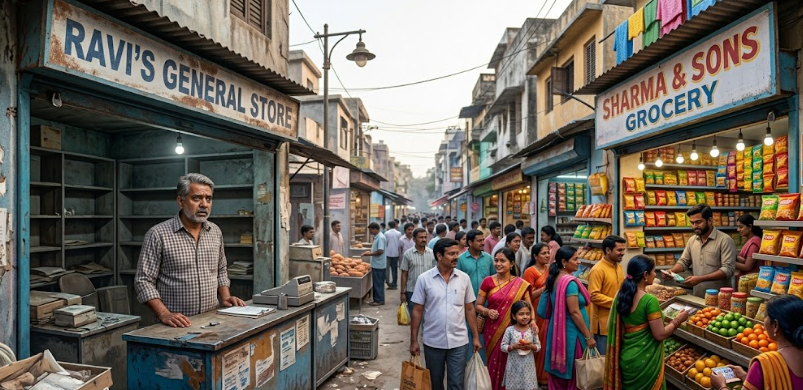
Last month, a kirana store owner from Madurai called me frustrated. He said: "I have a good shop, fair prices, loyal customers — but when someone nearby searches Google for what I sell, my competitor shows up and I don't. Why?"
The answer was simple. His competitor had a Google Business Profile (GBP). He didn't.
If you own a physical shop, clinic, salon, restaurant, coaching centre, or any local business in India, Google Business Profile is the single most powerful free tool available to you right now. It puts your shop on Google Search and Google Maps — right when nearby customers are actively looking for what you sell.
In this guide, I will walk you through the complete step-by-step setup, show you exactly how to optimise your profile, and share proven tips that Indian shop owners use to attract more walk-in customers — all without spending a single rupee on ads.
What Is Google Business Profile? (And Why Indian Shop Owners Are Missing Out)
Google Business Profile (formerly called Google My Business) is a free listing that Google allows any business owner to create. When someone near your shop searches for a product or service you offer, your profile can appear in:
- The "Local Pack" — the map section with 3 businesses shown at the top of search results
- Google Maps — when someone searches directly in Maps
- The Knowledge Panel — the information box that appears on the right side of search results
According to Google's own data, businesses with complete profiles are 2.7 times more likely to be considered reputable and 70% more likely to attract location visits.
Yet, as of 2026, a large percentage of Indian small businesses — especially in Tier 2 and Tier 3 cities — still have no Google Business Profile. This means an enormous opportunity for those who set one up today.
Who Should Set Up Google Business Profile?
You should set up GBP if you have any of the following:
- A physical shop, store, or office that customers visit
- A service-based business that operates in a specific area (plumber, electrician, caterer, tutor)
- A restaurant, café, hotel, or lodging
- A clinic, pharmacy, or healthcare provider
- A coaching centre, school, or training institute
- A home-based business serving local customers
Step-by-Step: How to Set Up Google Business Profile for Your Indian Shop (2026)
Step 1: Go to Google Business Profile and Sign In
Open your browser and go to business.google.com. Sign in with your Google account. If you don't have one, create a free Gmail account — use a business email if possible (example: yourshopname@gmail.com).
Click "Manage now" or "Add your business to Google."
Step 2: Enter Your Business Name
Type your shop name exactly as it appears on your signboard, visiting card, or invoice. Do not add extra keywords to your business name (Google may suspend your listing for keyword stuffing). Example:
- ✅ Correct: Rajesh Kirana Store
- ❌ Wrong: Rajesh Kirana Store Best Grocery Shop Chennai
If your business already appears in a dropdown, select it. If not, click "Add your business to Google."
Step 3: Choose Your Business Category
This is one of the most important steps. Google uses your primary category to decide when to show your listing in search results. Choose the most accurate category for what your business primarily does.
Examples for common Indian businesses:
| Business Type | Recommended Primary Category |
|---|---|
| Grocery/Kirana | Grocery Store |
| Mobile repair shop | Mobile Phone Repair Shop |
| Tailoring shop | Tailor |
| Coaching centre | Tutoring Service |
| Restaurant/Mess | Restaurant or South Indian Restaurant |
| Beauty parlour | Beauty Salon |
| Medical clinic | Medical Clinic |
| Auto garage | Auto Repair Shop |
You can add up to 9 additional categories later to cover secondary services.
Step 4: Add Your Business Location
If customers visit your shop physically, select "Yes, I have a physical location." Enter your full address including street name, area, city, state, and PIN code.
Google will then ask you to place a pin on the map. Drag the pin to the exact location of your shop entrance. This step is critical — many Indian addresses are not accurately mapped, so dragging the pin to the right spot ensures customers find you easily.
If you run a service-area business (like home delivery, plumber, or caterer) and don't want to display your home address, select "I deliver goods and services to my customers" and enter your service areas instead.
Step 5: Add Your Contact Details
Enter your business phone number — preferably the number that is always answered. Add your website URL if you have one. If you don't have a website yet, Google offers a free basic website builder within GBP (though I recommend building a proper WordPress site eventually).
Step 6: Verify Your Business
Google must verify that you actually own or manage the business before your listing goes live. Verification options in India include:
- Postcard by mail: Google sends a physical postcard to your business address with a 5-digit code. Takes 5–14 days. Enter the code in your GBP dashboard.
- Phone or SMS: Available for some businesses. Google calls or texts your registered number with the code.
- Email: Available for some accounts. Google sends a verification link to your email.
- Video verification: Google may ask you to record a short video of your shop interior, exterior, and address proof. This is increasingly common in India in 2026.
Do not skip verification. An unverified listing does not appear on Google Maps or Search.
How to Optimise Your Google Business Profile for Maximum Visibility
Setting up is just the beginning. A complete, well-optimised profile ranks significantly higher in local search than a basic one. Here is what to do after verification.
1. Write a Compelling Business Description (750 characters)
Use the business description to tell customers what makes your shop special. Include your primary keyword naturally. Mention your location, speciality, and any unique selling point.
Example for a saree shop in Coimbatore:
We are a family-run saree shop in R.S. Puram, Coimbatore, specialising in Kanchipuram silk, cotton, and designer sarees for all occasions. With over 1,500 designs in stock, we serve customers across Coimbatore with free home delivery above ₹2,000. Visit us or WhatsApp us to see our latest collection.
2. Add Your Business Hours
Set accurate opening and closing times for every day of the week. Add special hours for public holidays (Diwali, Pongal, etc.). Customers who see your hours are more likely to visit — and Google rewards complete profiles with higher visibility.
3. Upload High-Quality Photos
Businesses with photos receive 42% more requests for directions and 35% more website clicks than those without. Add the following photos:
- Cover photo: The front of your shop with your signboard clearly visible
- Profile photo: Your logo or a clear photo of the shop entrance
- Interior photos: Show customers what the inside looks like — products on display, clean and well-lit
- Product photos: Your best-selling or most attractive products
- Team photos: You and your staff (builds trust)
Take photos in natural daylight. Use your smartphone — you do not need a professional camera. Aim for at least 10 photos to start, and keep adding fresh photos every month.
4. Add Your Products and Services
Use the Products and Services section to list what you sell with names, descriptions, and prices (if applicable). This helps Google understand your business better and shows customers exactly what you offer before they even visit.
5. Enable Messaging
Turn on the messaging feature so customers can send you a WhatsApp-style message directly from your Google listing. Many Indian customers prefer messaging before visiting. Respond within 24 hours to maintain a good response rate.
6. Post Regular Updates (Google Posts)
Google Posts are short updates that appear on your listing. Use them to announce offers, new arrivals, events, or seasonal promotions. Post at least twice a month. Each post is visible for 7 days (event posts stay until the event ends).
Example post for a sweet shop before Diwali:
"🪔 Diwali Special: Order your Diwali sweet boxes in advance. Kaju Katli, Besan Ladoo, Mysore Pak — fresh and handmade. Free delivery above ₹500 within 5km. Call or WhatsApp us now."
Getting Google Reviews: The Fastest Way to Rank Higher Locally
Google reviews are the single biggest factor in local search ranking. More positive reviews = higher position in the Local Pack = more customers seeing your business.
How to Ask Customers for Reviews (Without Being Pushy)
The best time to ask for a review is right after a customer has had a positive experience — after they make a purchase, finish a service, or express satisfaction.
Steps:
- Go to your GBP dashboard and find your review link (a short URL that takes customers directly to your review box)
- Save this link as a WhatsApp message template
- After a happy customer interaction, send: "Thank you for visiting us! If you have a minute, a quick Google review would really help us. Here's the link: [your review link]"
- Print the QR code of your review link and display it at your billing counter
Aim for at least 10 reviews in your first month. Never buy fake reviews — Google detects and removes them, and can suspend your listing permanently.
How to Respond to Reviews
Respond to every review — positive and negative. For positive reviews, a simple thank you with the customer's name goes a long way. For negative reviews, respond calmly, apologise for the inconvenience, and offer to resolve the issue offline. Never argue with a negative reviewer publicly.
Common Mistakes Indian Business Owners Make with Google Business Profile
- Using a personal phone number instead of the shop number: Use a stable number that will remain the same long-term.
- Inconsistent NAP (Name, Address, Phone): Your business name, address, and phone number must be identical across your GBP, website, social media pages, and any other online directories. Even small differences (Road vs Rd, Phase 1 vs Phase-1) can hurt your local ranking.
- Not choosing the right primary category: Wrong category = Google shows you to the wrong people.
- Ignoring the listing after setup: GBP rewards active businesses. Log in at least once a week, respond to reviews, add new photos, and post updates.
- Not completing all sections: Google rates profile completeness. Fill in every available field — attributes (wheelchair accessible, air-conditioned, parking available, etc.), payment methods, languages spoken, and more.
- Not using keywords in your description: Naturally include keywords that your customers use when searching — "best kirana store in Velachery" or "affordable tailoring in Tambaram."
How Long Does It Take to Show Up on Google Maps?
Once your listing is verified and fully optimised, here is what to expect:
- Days 1–7: Your listing appears on Google Maps and Search. Basic visibility starts.
- Week 2–4: As you add photos, posts, and start collecting reviews, your ranking improves.
- Month 2–3: With 10+ reviews and regular activity, many Indian local businesses start appearing in the top 3 Local Pack results for their area.
Results vary by location and competition. Businesses in smaller cities and Tier 2 towns often see results faster because there are fewer optimised competitors.
Frequently Asked Questions
Is Google Business Profile free?
Yes, completely free. Google does not charge any fee to create, verify, or manage your business listing.
Can I set up GBP if I run my business from home?
Yes. Select "service area business" during setup and choose the areas you serve. You can hide your home address from public view.
My business name has a Tamil/Hindi spelling — what should I enter?
Enter your business name in the language most of your customers would search in. You can also add your business name in multiple languages in the GBP settings under "Languages."
What happens if someone else creates a fake listing for my business?
You can claim ownership through Google's business verification process. Visit business.google.com and search your business name. If a duplicate listing appears, request ownership and provide proof.
I set up my profile but I'm not ranking in the top 3. What can I do?
Focus on three things: (1) Get more genuine Google reviews than your competitors. (2) Add more photos and posts regularly. (3) Make sure your NAP is consistent everywhere online. Also, ensure your primary business category is accurate.
Can I manage multiple shop locations from one account?
Yes. GBP allows you to add and manage multiple business locations from a single Google account. This is ideal for businesses with branches across different areas.
Final Thoughts: Your Shop Deserves to Be Found
Setting up Google Business Profile takes about 30 minutes. Verifying it takes a few days. But the results — more walk-in customers, phone enquiries, and direction requests from people who were already looking for what you sell — can last for years.
I have seen small kirana stores in Madurai, boutiques in Tiruppur, and coaching centres in Salem completely transform their customer flow just by having a well-maintained Google Business Profile. No ads. No budget. Just a complete, active listing.
If you have been meaning to set this up and kept postponing, today is the day. Open business.google.com and get started. It is free, it takes less time than you think, and it is one of the highest-return activities a local Indian business can do right now.
If you have any questions about the setup process or need help optimising your profile, feel free to reach out through the contact page.
Related Articles
All articles →
Google AdSense Approval in India: Why You Got Rejected and Exactly How to Fix It (2026 Guide)
Getting rejected by Google AdSense in India? Here are the real reasons and step-by-step fixes. Practical checklist for Indian bloggers…
Instagram Marketing for Indian Clothing Boutiques: Get Daily Orders Without Paid Ads (2026 Guide)
How Indian boutique owners use Instagram Reels, Stories, and DMs to get daily orders without spending on ads. Real strategies…
WhatsApp Business Marketing for Indian Shop Owners: Get More Orders Every Day (2026 Guide)
Learn how Indian shop owners use WhatsApp Business to send offers, take orders, and build customer loyalty — completely free.…