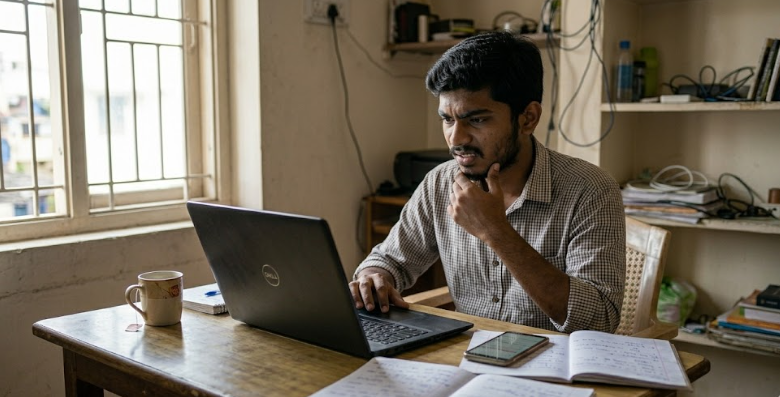
Google AdSense Approval in India: Why You Got Rejected and Exactly How to Fix It (2026 Guide)

Google AdSense Approval in India: Why You Got Rejected and Exactly How to Fix It (2026 Guide)
Getting rejected by Google AdSense is frustrating, especially when you feel like you have done everything right. You wrote articles. You published consistently. You submitted your site. And then Google sent that dreaded rejection email.
The truth is: Google AdSense rejection is rarely random. There are specific, identifiable reasons why sites get rejected — and most of them are fixable within days or weeks. After helping dozens of Indian bloggers get AdSense approval, I have noticed the same patterns repeat over and over.
This guide explains the most common AdSense rejection reasons for Indian websites in 2026, exactly how to fix each one, and what a fully AdSense-ready site looks like before you apply. Follow this checklist and your chances of approval will improve dramatically.
First: What Google AdSense Is Actually Looking For
Before diving into fixes, you need to understand what Google wants. AdSense approval is not just about having a website. Google is looking for sites that:
- Provide genuine value to real users — not just content that exists to show ads
- Have original content — not copied, scraped, translated, or AI-spun content
- Have sufficient content — enough pages for Google to understand what the site is about
- Are technically sound — fast, mobile-friendly, no broken links
- Have clear ownership and purpose — About page, Contact page, Privacy Policy, and clear niche
- Comply with all AdSense policies — no adult content, no illegal content, no misleading or dangerous material
Google's reviewers (both automated and human) look at the overall site experience from a user's perspective. If a real person would find your site valuable and trustworthy, Google will likely approve it.
The Most Common AdSense Rejection Reasons for Indian Blogs in 2026
Reason 1: "Insufficient Content" or "Low Value Content"
This is the most common rejection reason. It means Google does not feel your site has enough quality content to place ads on.
What triggers this:
- Fewer than 10–15 published articles
- Articles that are very short (under 500–700 words)
- Articles that are generic, shallow, or clearly AI-generated without personalisation
- All articles on the same topic with minimal variation
- Content that reads like a list of facts without any explanation, examples, or original insight
How to fix it:
- Publish at least 15–20 articles before applying. Each should be 800–2,000 words covering a specific topic in depth.
- Add personal experience, examples, case studies, or data to every article. "I tried this and here is what happened" is far more valuable than "here are 5 tips."
- Cover your niche comprehensively. If your blog is about digital marketing, cover SEO basics, social media, email marketing, tools — not just one narrow sub-topic repeated in different ways.
- Add images, tables, or infographics to make content visually readable and demonstrate effort.
Reason 2: Copied or AI-Spun Content
Google's content detection has become significantly more sophisticated in 2025–2026. Content that is copied from other websites, translated word-for-word from another language, or generated by AI with no personalisation is increasingly likely to trigger rejection.
What triggers this:
- Copying paragraphs from other websites even with minor changes
- Using AI tools to generate generic content without adding your own insights, examples, or experiences
- Running English content through a translation tool and publishing the output
- Using article spinning software
How to fix it:
- Run your content through Copyscape or Quetext before publishing to check for accidental duplication.
- If using AI to assist with writing, always add your own personal experience, Indian market context, and specific examples. The article should feel like it came from a real person who has actually used/tested what they are writing about.
- Read your own articles out loud. If they sound robotic or like a list of generic tips without a human voice, rewrite them.
Reason 3: Missing Essential Pages
Google requires that AdSense-approved sites have certain standard pages that establish legitimacy and transparency.
Required pages:
- About Us: Who runs the site, what the site is about, why the author is qualified to write on this topic.
- Contact Us: A working contact form or email address. Google wants to know there is a real person behind the site.
- Privacy Policy: A detailed page explaining how user data is collected and used. This is legally required for AdSense and GDPR/Indian IT rules compliance. Generate one free at privacypolicygenerator.info or termsfeed.com.
- Terms and Conditions: Standard terms for using your website.
- Disclaimer: Especially important for topics like finance, health, or legal advice.
Common mistake: Many Indian bloggers have these pages but leave them with placeholder text ("Lorem ipsum") or use a template without filling in the actual details. Google reviews these pages and a fake-looking privacy policy is a red flag.
Reason 4: Navigation and Site Structure Problems
Google expects a user-friendly, easy-to-navigate website. If reviewers (or users) cannot easily find content, the site will likely be rejected.
What triggers this:
- No clear navigation menu
- Important pages only accessible via buried links
- Broken links (404 errors)
- Pages under construction or empty category pages
- A messy homepage with no clear purpose
How to fix it:
- Ensure your main navigation includes: Home, Blog/Articles, About, Contact.
- Run your site through Google Search Console to find and fix any crawl errors or broken links.
- Check your site on mobile — most Indian internet users access websites via smartphone, and a poorly formatted mobile site is a quick rejection trigger.
Reason 5: No Organic Traffic (or Extremely Low Traffic)
Technically, Google does not state a minimum traffic requirement for AdSense approval. However, sites with very low or no traffic are sometimes rejected, possibly because the lack of traffic suggests the content is not getting real user engagement.
How to fix it:
- Build some organic traffic before applying. Even 50–100 daily visitors from search, social media, or referral traffic demonstrates that real people find value in your content.
- Share your articles on relevant Facebook groups, LinkedIn, Quora, and WhatsApp groups to generate initial traffic while your SEO builds.
- Do not buy fake traffic. Paid bot traffic can get your AdSense account permanently banned even after approval.
Reason 6: Domain Age (New Sites)
While Google officially has no minimum domain age for AdSense, in practice, many Indian bloggers find it easier to get approved when their domain is at least 3–6 months old with consistent content published throughout that period.
This is not a hard rule — excellent new sites do get approved. But if you have applied and been rejected, waiting 2–3 months while publishing consistently and driving organic traffic will often lead to approval on a second attempt.
Reason 7: Prohibited Content Categories
Even if only one article or page on your site contains prohibited content, Google will reject the entire site. AdSense prohibits content related to:
- Adult or sexually explicit material
- Violent or dangerous content
- Hacking, cracking, or illegal activities
- Drug-related content (even some health topics handled poorly)
- Gambling promotion
- Content that could endanger safety (weight loss claims, medical advice presented as professional guidance without disclaimer)
- Misleading or deceptive content
- Content targeting children with adult themes
Review every page and article on your site before applying. Remove or significantly revise any content that comes close to these categories.
The AdSense Approval Checklist for Indian Bloggers (2026)
Before submitting your AdSense application, go through this checklist:
Content Checklist
- ☐ At least 15–20 published articles (800+ words each)
- ☐ All content is original — not copied, scraped, or unedited AI output
- ☐ Content provides genuine value — answers real questions thoroughly
- ☐ No prohibited content anywhere on the site
- ☐ Articles have images, proper formatting, headings, and readable structure
- ☐ No articles under construction or unfinished
Pages Checklist
- ☐ About Us page — with real information about the site owner
- ☐ Contact Us page — with working email or form
- ☐ Privacy Policy page — specific to your site, not generic placeholder
- ☐ Terms and Conditions page
- ☐ Disclaimer page (especially for finance, health, or legal topics)
Technical Checklist
- ☐ Site loads in under 3 seconds on mobile
- ☐ Site is fully mobile-responsive
- ☐ No broken links or 404 errors
- ☐ SSL certificate installed (https:// not http://)
- ☐ Clear navigation menu accessible from every page
- ☐ No redirect chains or loops
- ☐ Google Search Console set up and no major crawl errors
Traffic and Trust Checklist
- ☐ Some organic or social traffic (even small amounts help)
- ☐ Domain is at least 3–6 months old (not mandatory but helpful)
- ☐ No history of policy violations on the site or associated accounts
- ☐ Clear author information — real name, bio, and credentials
How to Apply for Google AdSense: Step by Step
- Go to adsense.google.com and click "Get started."
- Sign in with the Google account you want to use for AdSense payments.
- Enter your website URL and select your country (India). Read and accept the terms.
- Add the AdSense code to your website. For WordPress, use the official Site Kit plugin by Google or add the code via your theme's header.php file.
- Return to the AdSense dashboard and click "I've added the code to my website."
- Fill in your payment details — address information for tax purposes. For India, you will need to provide your PAN card information for payments above ₹10,000/year.
- Wait for Google's review. This typically takes 2–4 weeks for Indian sites.
What Happens After Approval?
After approval, Google sends a verification PIN to your registered Indian address by post (usually within 2–4 weeks). You must enter this PIN in your AdSense account to activate payments. Until the PIN is entered, earnings are held.
Google pays via direct bank transfer (NEFT/RTGS) to Indian accounts. The payment threshold is $100 (approximately ₹8,000–₹8,500). Payments are processed by the 21st of every month for the previous month's earnings, provided you have crossed the threshold.
After Rejection: What to Do Next
- Read the rejection reason carefully. Google usually gives a specific reason. Address that exact issue before re-applying.
- Do not re-apply immediately. Wait at least 30 days after fixing the issues. Re-applying too quickly with the same problems will get you rejected again and may flag your account.
- Review your entire site fresh. Look at every page with fresh eyes. Is there any content that a strict Google reviewer could question? Fix it.
- Publish 5–10 more quality articles in the waiting period. When you re-apply, show Google an even stronger site than before.
- Check for any Google Search Console issues — manual actions, security issues, or major crawl errors. Fix everything before applying again.
Frequently Asked Questions
How many articles do I need for AdSense approval in India?
There is no official minimum, but 15–25 articles of 800–2,000 words each is a commonly recommended range based on experiences shared by Indian bloggers. Quality matters more than quantity — 15 excellent, original, in-depth articles will perform better than 50 short, generic ones.
My site was approved and then my account was disabled. Why?
AdSense accounts are disabled for policy violations after approval too. Common reasons: invalid click activity (clicking your own ads or encouraging others to click), prohibited content published after approval, or traffic coming from bot networks. Always follow AdSense policies even after approval.
Can I apply for AdSense with a free blog (Blogger or WordPress.com)?
Blogger.com blogs can be monetised with AdSense. WordPress.com free plans (not self-hosted) cannot use AdSense unless on a paid Business plan. For self-hosted WordPress (wordpress.org with your own hosting), AdSense is fully supported.
Does writing in Hindi or Tamil reduce my AdSense approval chances?
AdSense supports multiple Indian languages including Hindi, Tamil, Telugu, Kannada, and others. Language is not a barrier. The content quality standards are the same regardless of language.
I got approved but earnings are very low. What is normal?
Indian AdSense RPM (revenue per 1,000 impressions) varies by niche. Finance, education, and technology niches typically earn ₹50–₹300 per 1,000 views. Lifestyle and entertainment niches earn ₹10–₹60. Earnings grow with more traffic. Focus on growing organic search traffic through SEO alongside maintaining your AdSense account.
Conclusion: AdSense Approval Is Achievable — If You Build the Right Foundation
Google AdSense approval in India is not a lottery. It is a quality assessment. Sites that provide genuine value to real users, have proper legal pages, original content, and clean technical foundations get approved. Sites that cut corners on content quality or miss basic requirements get rejected.
Use this guide as your blueprint. Fix every item on the checklist. Publish content that you would actually want to read. Then apply with confidence. Most Indian bloggers who follow this process get approved within their first or second attempt.
Once approved, AdSense is just the beginning. As your traffic grows through consistent SEO work, your AdSense earnings compound. Combined with affiliate marketing and your own digital products, a well-run Indian blog can generate meaningful income for years.
Related Articles
All articles →
Instagram Marketing for Indian Clothing Boutiques: Get Daily Orders Without Paid Ads (2026 Guide)
How Indian boutique owners use Instagram Reels, Stories, and DMs to get daily orders without spending on ads. Real strategies…
WhatsApp Business Marketing for Indian Shop Owners: Get More Orders Every Day (2026 Guide)
Learn how Indian shop owners use WhatsApp Business to send offers, take orders, and build customer loyalty — completely free.…
Google Business Profile Setup for Indian Shops: Get Local Customers Free (2026 Guide)
Step-by-step guide to set up Google Business Profile for your shop in India. Get found on Google Maps, attract local…